
Tutorial Engine 2026 - Easy Step-By-Step Tutorial Creator!
Tutorial Engine 2026 - Easy Step-By-Step Tutorial Creator!
5/5 from 5 ratings on the Unity Asset Store
Unity Asset • Version 2.0.16 • Updated November 5th 2026
Tutorial Engine replaces hand-coded onboarding flows with a visual step editor: build a tutorial as a sequence of steps in the editor, save it as JSON, and load it with a single line of code at runtime.
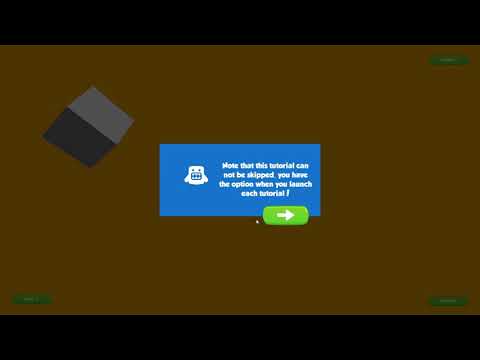
Each step can highlight a UI button, 3D object, or sprite with a soft gradient mask, and can optionally require the player to click the highlighted element before advancing. It works with every Canvas render mode and supports Unity's Localization package for multi-language tutorials.
Fits first-time-user-experience onboarding flows, feature callouts when a new update ships, and any UI walkthrough that needs to point at a specific button, object, or sprite without hand-coding highlight logic for every step.
How it works
Open the Tutorial Editor window from the Tools > Exoa menu, name a tutorial, and add steps. Each step has its text, the name of the GameObject to focus on (leave it empty and the popup is simply centered on screen), an optional public method to call when the step is reached (Send Message), and two switches: whether the target is clickable, and whether clicking it replaces the popup's Next button. Steps can also be delayed. Tutorials are saved as JSON files in a Resources folder.
In your scene, place the TutorialController prefab at the bottom of a Canvas (or in a canvas with a higher sorting order), then start a tutorial with TutorialLoader.instance.Load("Tutorial1");. The TutorialEvents class raises OnTutorialLoaded, OnTutorialReady, OnTutorialFocus, OnTutorialProgress, and OnTutorialComplete, so the rest of your game can react to each step. Need more data per step? Add a string, float, int, or bool field to the TutorialStep class and it shows up in the editor.
What's included
- Visual tutorial/step editor with JSON save format
- Single-line runtime loading and playback
- Step targeting for 3D objects, sprites, and UI
- Soft gradient highlight mask
- Optional click-to-continue gating per step
- TextMeshPro tutorial popups
- Unity Localization package support
- Demo scenes, including Send Message and localization examples
- Commented, documented source code
Compatibility
The Asset Store listing covers Unity 2021.3.30 and Unity 6 (6000.3.9 and 6000.3.28), and lists the Built-in Render Pipeline, URP, HDRP, and custom render pipelines as compatible. Version 2.0.16, released November 5th 2026, fixed compilation with Unity 6.3.28; version 2.0.15 upgraded the package to Unity 6.
Common questions
Can I edit tutorial steps without touching code? Yes. The visual step editor is the primary way to build a tutorial. It's saved as JSON and loaded with a single line of code at runtime.
Can a step force the player to interact before moving on? Yes. Each step can optionally require clicking the highlighted element before the tutorial advances. The target needs a Button component, and the step listens to its onClick event.
Does it support multiple languages? Yes. Install Unity's Localization package, add the TUTORIAL_ENGINE_LOCALIZATION scripting define symbol, point the TutorialController at your string table, and use table keys as step text. They're translated at runtime.
Demo Videos
Screenshots


Tutorial Engine 2026 - Easy Step-By-Step Tutorial Creator!
v2.0.16