
Drag And Slide! Push/Pull/Move/Rotate/Drag/Drop Objects With Constraints Easily!
Drag And Slide! Push/Pull/Move/Rotate/Drag/Drop Objects With Constraints Easily!
Unity Asset • Version 1.1 • Updated January 2nd 2024
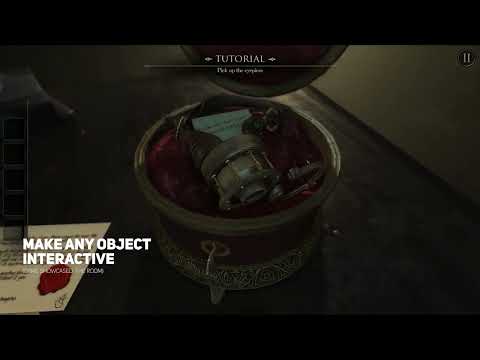
Drag And Slide covers the interaction type that adventure games, point-and-click puzzles, and horror games lean on constantly: letting a player grab, slide, push/pull, or rotate a physical object, but only within limits you define. A drawer that only slides on one axis, a lever that only rotates through a fixed arc, a crate that can be dragged freely.
Beyond adventure and horror games, it's also a fit for escape-room style puzzle games, furniture or object customization scenes, and any interaction where a designer needs to lock movement to one axis or a fixed rotation arc without hand-writing constraint math for every object.
How it works
Setup is two components. The included Player prefab comes with basic FPS movement, a camera, and a canvas for the cursor; if you already have an FPS controller, add the DragAndSlidePlayer component to it instead. Then add a DragAndSlideObject component, a Rigidbody, and a collider to every object the player should be able to grab. Each object is set to either free or constrained dragging.
Key features
- Free mode: pick an object up and carry it, optionally parented to the player or to the camera so turning and strafing don't add strange inertia
- Constrained mode: choose a position or rotation constraint, the local axis it applies to, and minimum/maximum values
- A normal axis for position constraints, which defines the plane the mouse drags on (a drawer sliding on Z drags on the XZ plane)
- An optional pivot transform, so a door or lid rotates around a custom point instead of its own pivot
- Release options: enable gravity on release, freeze rotation on chosen axes while dragging or after release, and cancel momentum on drop
- Tunable physics anchor on the player: spring, damper, drag, angular drag, max distance, and grab distance
- Cursor that sticks to the grabbed point or to the spring anchor, with separate pointing and grabbing cursor sprites
Compatibility
The Asset Store listing gives Unity 2021.3.6 as the minimum version and lists the Built-in Render Pipeline, URP, HDRP, and custom render pipelines as compatible. It supports both the legacy Input Manager and the new Input System; for the new one, the manual covers the two steps involved (replacing the EventSystem input module and adding a Unity.InputSystem reference to the plugin's assembly definition).
What's included
- Free drag-and-drop
- Single-axis push/pull with position constraints
- Single-axis rotation with angle limits
- Legacy and new Input System support
- Full source code, demo scene, manual and video walkthrough
Common questions
Can I limit an object to sliding on just one axis, like a drawer? Yes. Single-axis push/pull with configurable position constraints is one of the three core interaction modes.
Can I use my own FPS controller? Yes. Add the DragAndSlidePlayer component to your existing player and configure it like the included Player prefab, with the DragAndSlideCanvas prefab for the cursor.
Does it work with the new Input System, or only the legacy one? Both are supported, so it drops into existing projects regardless of which input setup they use.
Is the source code included, or is this a compiled black box? Full source code is included along with a demo scene, so constraints and behavior can be adjusted or extended for project-specific needs.
Demo Videos
Screenshots


Drag And Slide! Push/Pull/Move/Rotate/Drag/Drop Objects With Constraints Easily!
v1.1